 Beaconify Care · 守灯
iPhone · Family safety · iOS 17+
The people you love, one tap away.
When someone needs help, the family they chose hears about it right away, with where they are. Made for parents who live alone, kids coming home late, riders on night shifts and family members travelling abroad.
守灯 — 家人安全,一灯守护。
Help that reaches your people.
An SOS that goes to the family you chose, with your location, and keeps trying until someone answers. Plus the everyday things that let everyone stop worrying.
SOS to your family
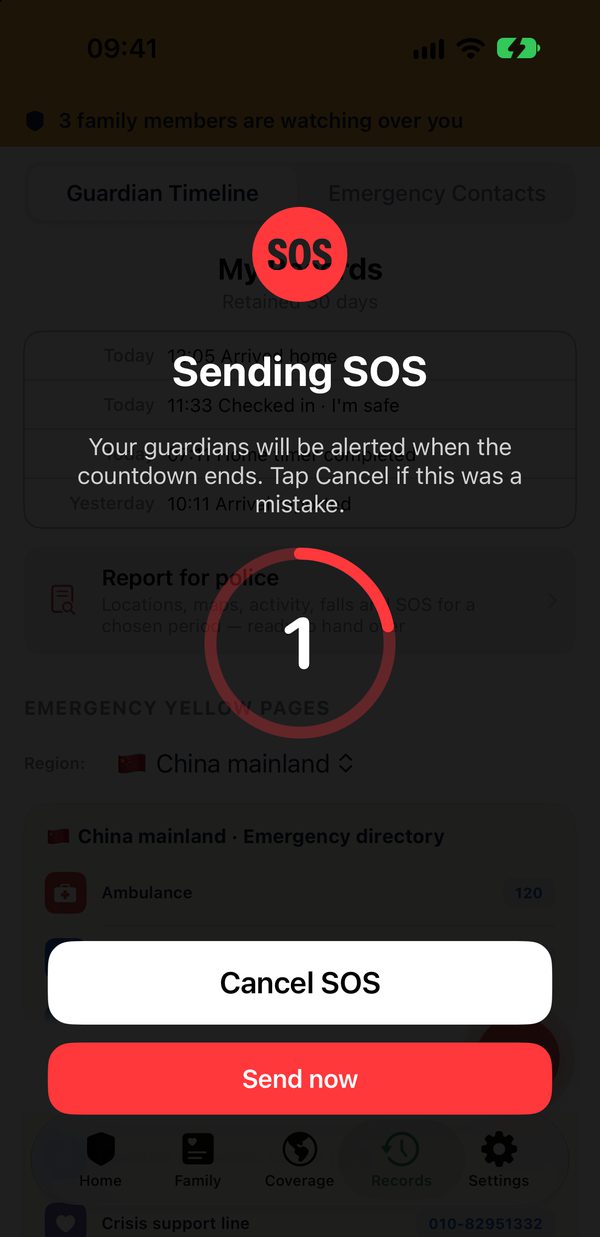
Press and hold the SOS button, or use a Bluetooth panic button, the widget or Siri. A short countdown stops accidental alerts. Your guardians get an alert with your location.
Follow-up until someone answers
If nobody responds, Beaconify follows up by text message and phone call. You see who has been reached and who is on the way.
Fall detection
Optional. Beaconify asks "Are you OK?" and alerts your family if you don't answer within 60 seconds.
Voice SOS & distress sounds
Say "help" to call for help, or let Beaconify listen for distress sounds. Both run on your iPhone only; no audio is recorded or uploaded.
Location, only for who you choose
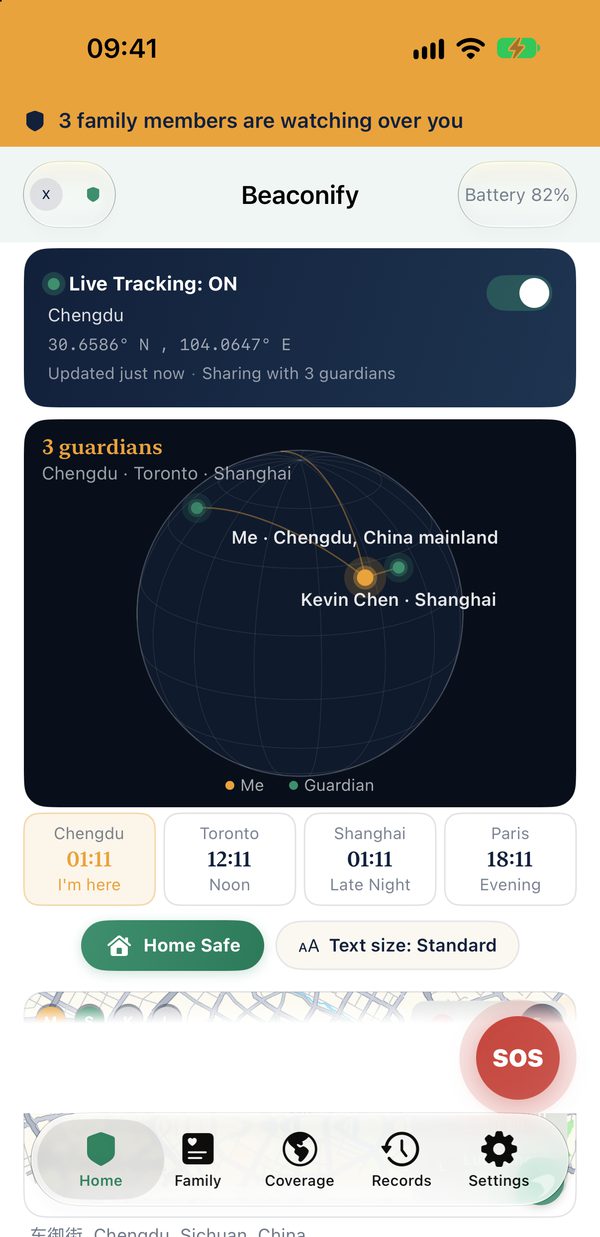
Share your location with the guardians you approve, and choose for each one what they can see. Pause sharing any time.
Safe zones & home timer
Arrival reports when you get somewhere, and a home timer that tells family if you're late.
Check-ins
One tap to say you're fine. If a check-in is missed, your guardians are told.
Medical card
Blood type, allergies and medications, ready for first responders when it matters.
Trip recording
Record a walk, a ride or a drive with its route, and export it when you need to.
Family feed & world clocks
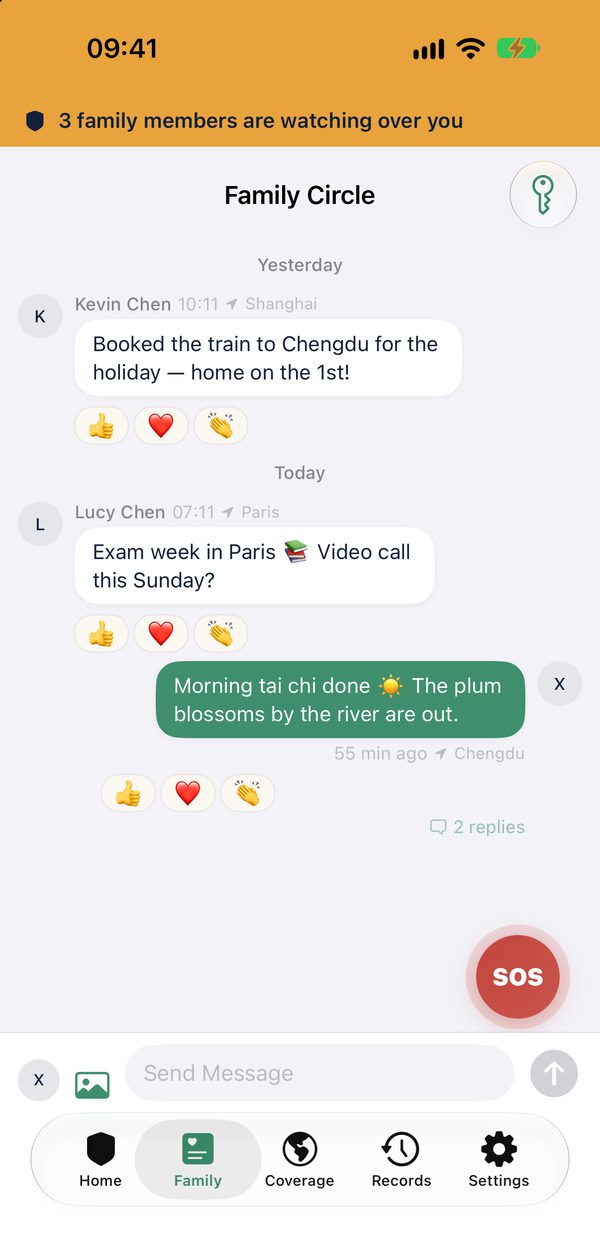
A private feed for photos and updates, and clocks for family across time zones, so you know when it's a good time to call.
Duress code & discreet modes
For difficult situations. If someone forces you to end an SOS, enter your duress code: the SOS screen closes as if it ended, while your SOS quietly keeps going.
Widgets & Live Activities
Lock Screen widgets and Live Activities, in English, 简体中文, 繁體中文, Français and 日本語.
Two sides, one family.
Beaconify connects the person being looked after with the family members who look after them, their guardians. Everyone uses the same app and picks their role.
Feel safe, stay yourself.
- Install Beaconify and invite the family members or friends you want as guardians. They join with your invite link or code.
- Choose what each guardian can see. Your location is shared only with them, and you can pause it at any time.
- Go about your day. Check in with one tap, start a home timer when you head out, turn on fall detection if you like.
- If something happens, hold SOS. After a short countdown your guardians get your location, and Beaconify keeps trying until one of them answers.
Know they're OK, without hovering.
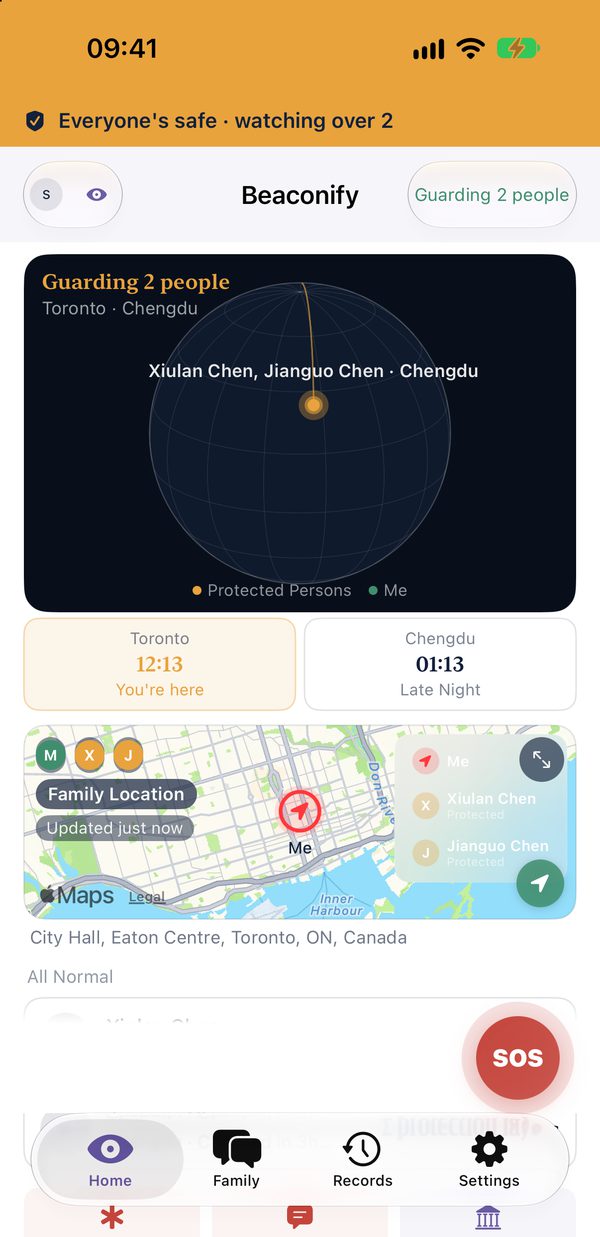
- Accept the invite. You see the people you look after on a map and a globe, with local time, battery and whether their phone is online.
- Get told when it matters: an SOS, a fall, a missed check-in, a late arrival.
- When an alert comes in, open it to see where they are, call them, or tap "I've got it" so the rest of the family knows you're handling it and the follow-up alerts stop.
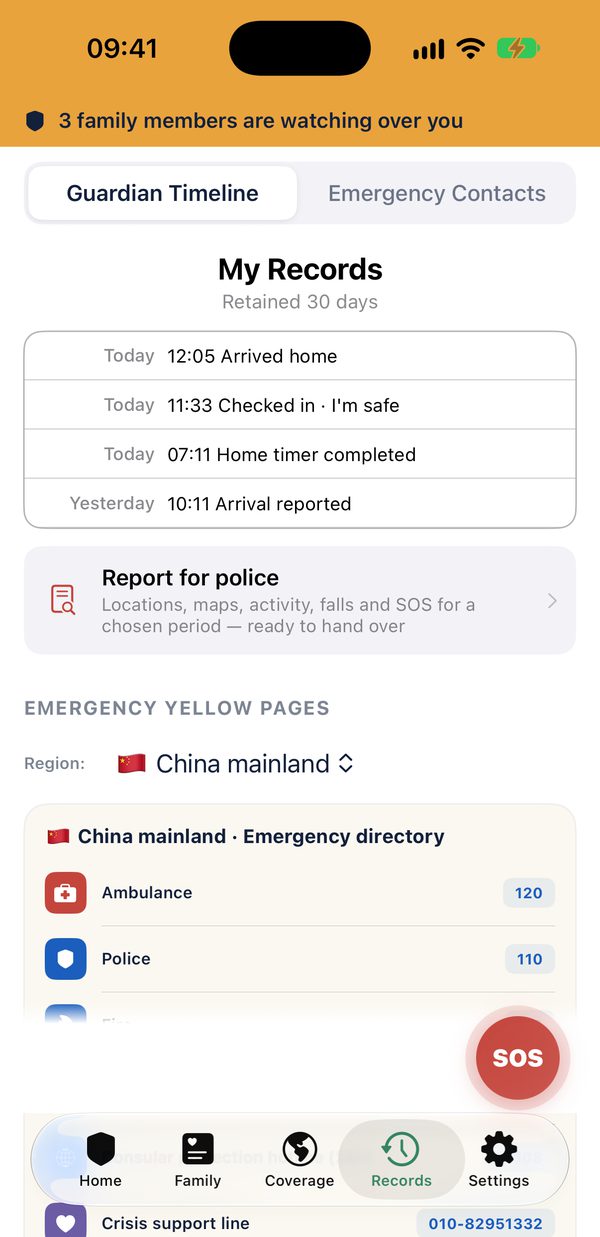
- Need it later? Records keep a timeline, and a report for police (locations, maps, activity, falls and SOS for a chosen period) is ready to hand over.
See it in action.
Safety is free. Extras are optional.
SOS, fall detection, check-ins and live location never sit behind a paywall. Optional plans add more guardians and family members, longer history and reports. Prices are in US dollars; the App Store shows the equivalent in your currency.
Everything you need when it matters.
- SOS with location to your guardians
- Fall detection
- Check-ins
- Live location
More guardians, longer history and reports.
- $2.99 a month, 3-day free trial
- $22.99 a year, 3-day free trial
- $59.99 once, lifetime
Room for more family members, with longer history and reports.
- $5.99 a month, 3-day free trial
- $49.99 a year, 3-day free trial
- $129.99 once, lifetime
Monthly and yearly plans start with a 3-day free trial. Payment is charged to your Apple Account and renews automatically unless cancelled at least 24 hours before the end of the period. Manage or cancel in your Apple Account settings. Lifetime is a one-time purchase and never renews. See the Terms of Use.
Your location is not a product.
Beaconify exists to share where you are with the people you chose, and with nobody else.
Data is stored in the United States with Google Cloud / Firebase. Read the full privacy policy.
Good to know.
Does Beaconify call 911 or other emergency services?
No. Beaconify is not an emergency service and does not contact 911 or any other emergency number. It alerts the family members and friends you chose as guardians. In danger, call your local emergency number first.
Is it free?
SOS, fall detection, check-ins and live location are free. Optional Essential and Family plans add more guardians and family members, longer history and reports. They're available monthly (US$2.99 / US$5.99) or yearly (US$22.99 / US$49.99) with a 3-day free trial, or as a one-time lifetime purchase (US$59.99 / US$129.99).
What happens when I press SOS?
Press and hold the SOS button, or use a Bluetooth panic button, the widget or Siri. A short countdown lets you cancel an accidental alert. Your guardians then get an alert with your location; if nobody answers, Beaconify follows up by text message and phone call, and you can see who has been reached and who is on the way.
Who can see my location?
Only the guardians you approve, and you choose for each one what they can see. You can pause sharing at any time. There are no ads and no tracking, and your data is never sold. Read the privacy policy.
How does fall detection work?
It's optional. When Beaconify notices a fall it asks "Are you OK?" and alerts your family if you don't answer within 60 seconds. The raw motion sensor readings stay on your iPhone. Like any detection, it can miss a fall or trigger by mistake, and it isn't a medical device.
Can I try it before setting it up for my family?
Yes. On the sign-in screen, tap "Try a demo first" for a guided demo with a sample family. Nothing is sent to real people.
Which iPhones and languages does it support?
iPhones with iOS 17 or later. Beaconify is available in English, 简体中文, 繁體中文, Français and 日本語. In Chinese it's called 守灯 (守燈).