 Bramble Organizer
iPhone · Productivity · Version 1.2
Your classic organizer, back on iPhone.
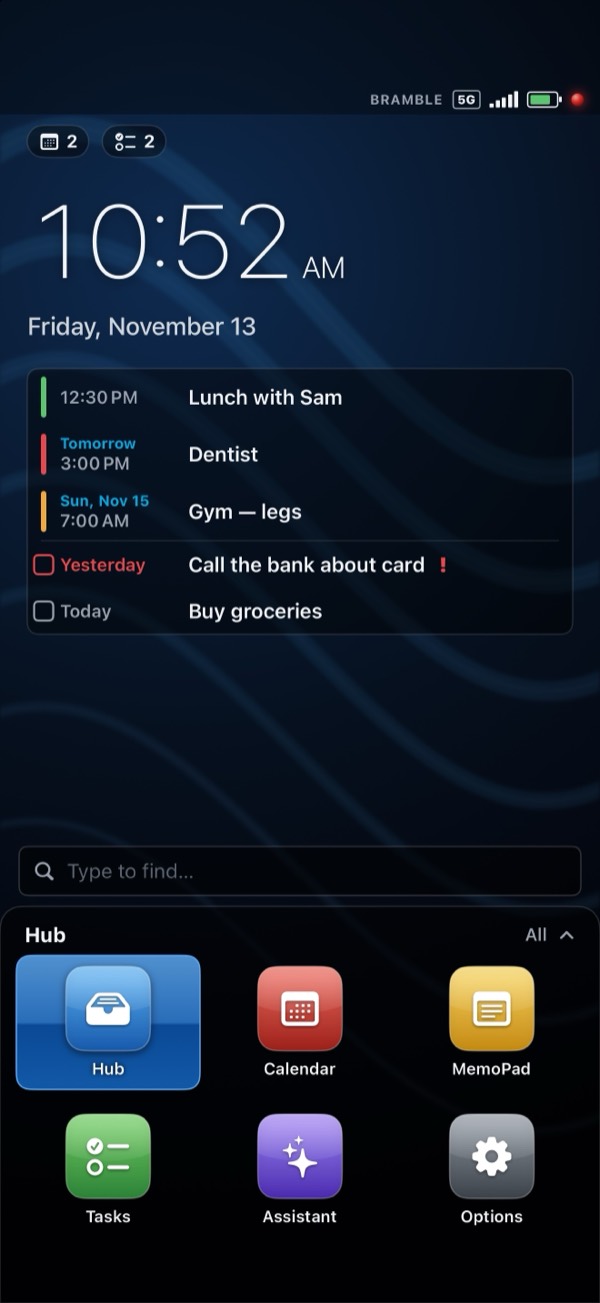
Remember the phone with the keyboard, the glossy icons and the little red light that blinked when something needed you? Bramble brings that organizer back: calendar, tasks, memos and reminders in one hub, stored on your iPhone.
Everything for your day, in one hub.
The look and feel of the classic keyboard phone, with what today's iPhone can do: iPhone Calendar sync, Lock Screen widgets, Face ID and on-device AI.
Reminders with Snooze
An alert at the start, 5 or 15 minutes, an hour or a day before an appointment, or at the time you pick for a task. Snooze 5 or 15 minutes, or Mark Done, right from the alert.
Categories
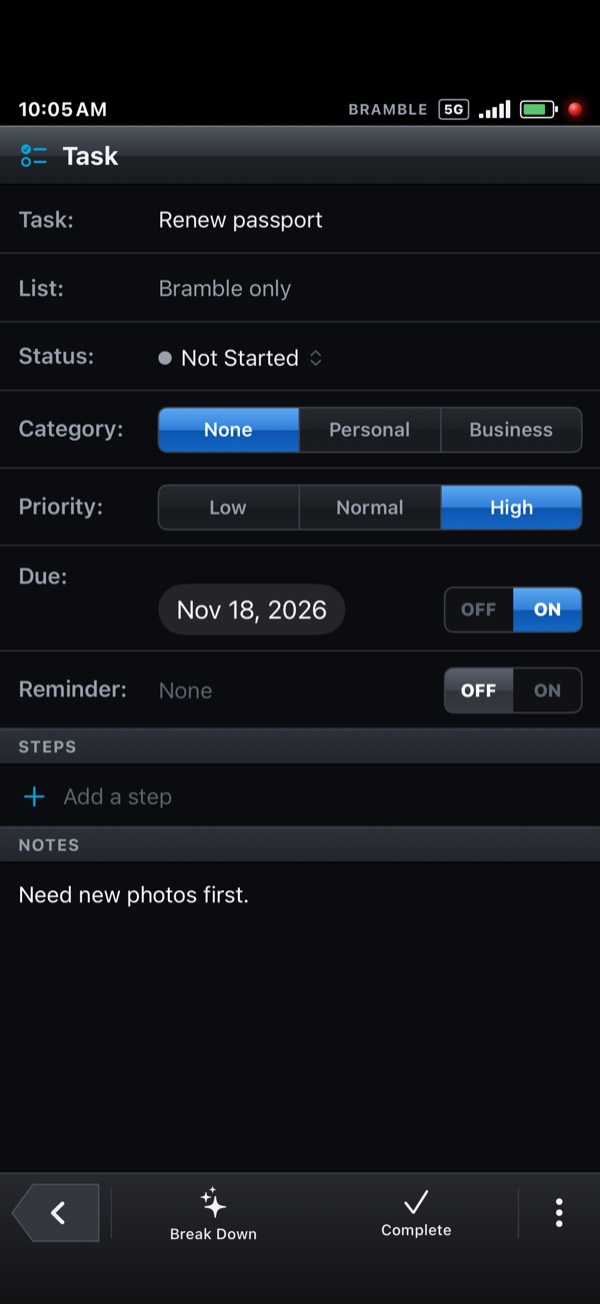
Tag appointments, memos and tasks Personal or Business, and show just one category in each app.
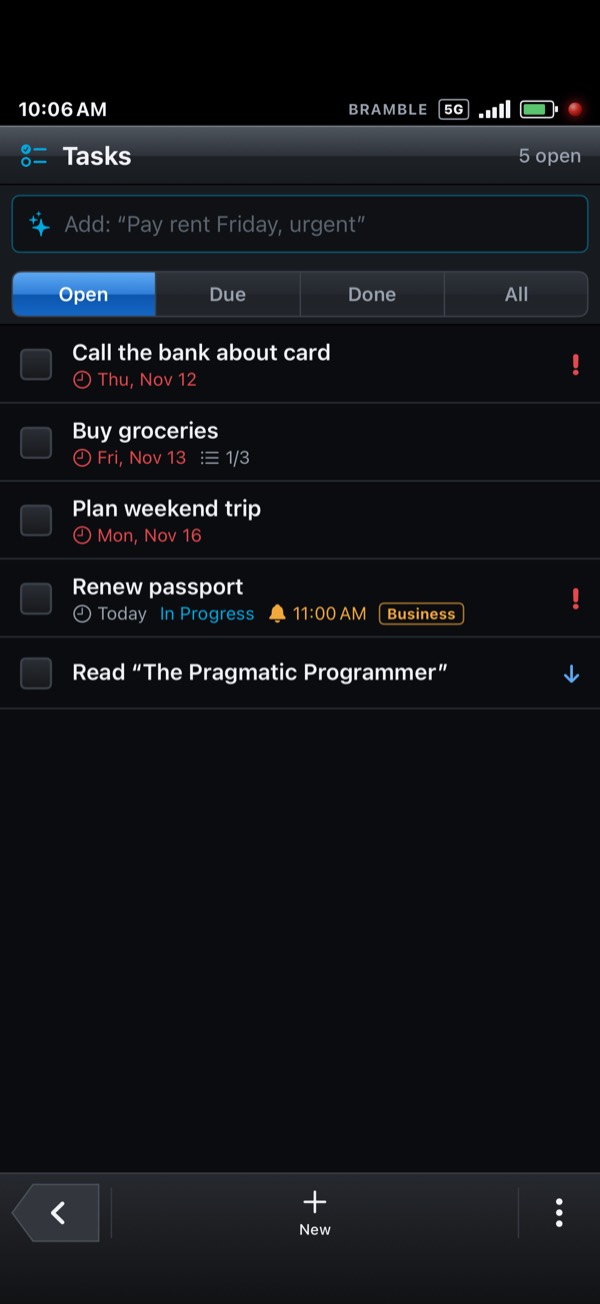
Task status
Not Started, In Progress, Waiting or Deferred, with due dates, priorities and steps.
AutoText
Type "ty" and a space for "thank you", "mydate" for today's date, and common typos fix themselves. Add your own shortcuts.
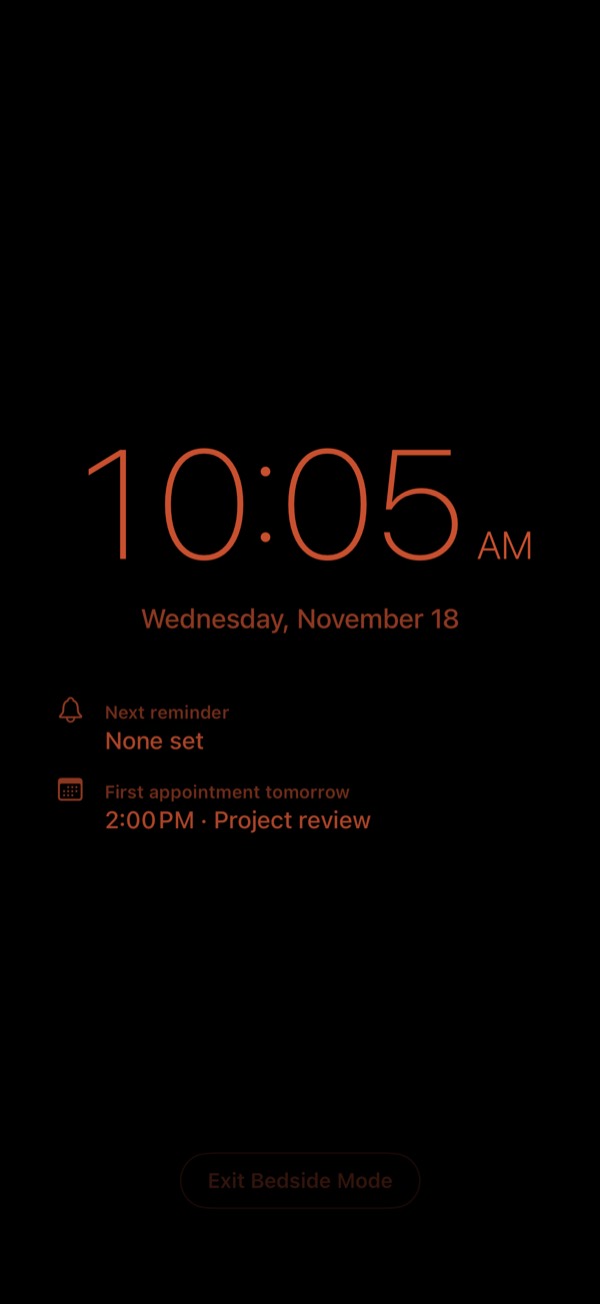
Bedside mode
Tap the clock for a dim night clock with your next reminder and tomorrow's first appointment. The screen stays on while it charges.
The red message light
Blinks when a task is due or overdue, or an appointment is about to start, just like it used to. Turn it off in Options.
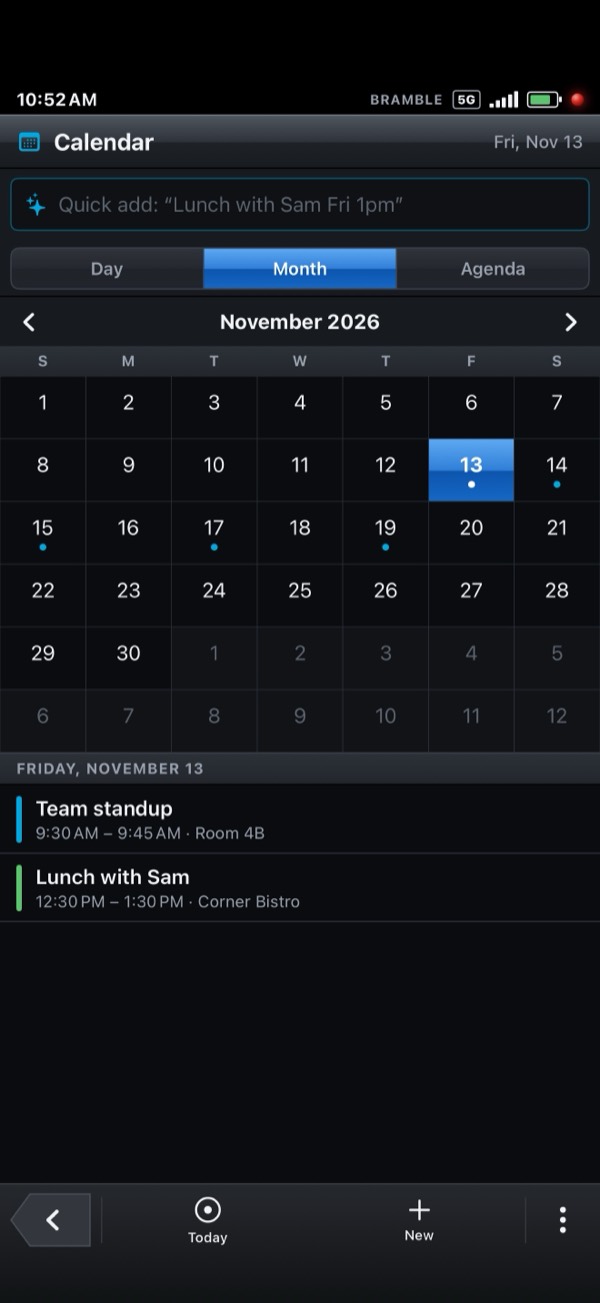
Calendar
Day, month and agenda views. Quick add: type "Lunch with Sam Friday 1pm". Syncs with iPhone Calendar, including iCloud, Google and Outlook.
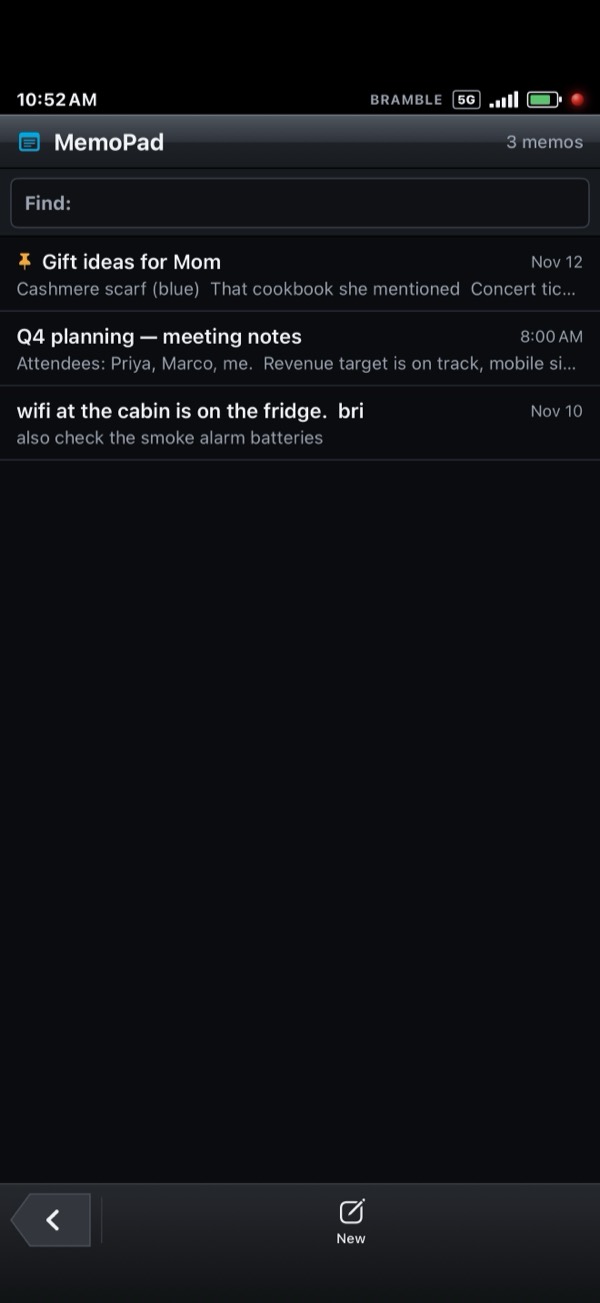
MemoPad
Lined-paper notes, quick to write and easy to find. Pin the ones that matter, summarize a long note or pull out its to-dos.
Type to find
Start typing on the home screen to find any app, appointment, task or note, the way you used to.
Bramble AI
A daily briefing, plain-sentence quick add and note summaries, running on your iPhone with Apple Intelligence. Nothing you write is sent to an AI service.
Lock Screen & widgets
Today's card on your Lock Screen when you leave the app, plus Home Screen and Lock Screen widgets.
Private by design
Stored on your iPhone, works offline, no account needed. Optional backup with Apple or Google sign-in and Face ID lock. No ads, no tracking.
See it in action.
Pay once. Keep it.
No subscription, and you're never charged automatically. Prices are in US dollars; the App Store shows the equivalent in your currency.
Everything included. Start the trial in the app; nothing is charged when it ends.
Unlock all of Bramble for good. Works on up to 3 iPhones with the same Apple Account.
Using Bramble on more than 3 iPhones? Add one more at a time, up to 8.
Good to know.
Is there an iPhone app that looks and works like a classic keyboard-phone organizer?
Yes, that's Bramble Organizer. It recreates the classic smartphone organizer on iPhone: glossy icons, the blue selection bar, one-letter shortcuts, a hub for your day and the blinking red message light, with a calendar, tasks, memos and reminders. On an iPhone with a large unfolded screen it even shows a classic keyboard under the screen.
Is it a subscription?
No. Try everything free for 3 days, then buy Bramble once for US$9.99 or the equivalent in your currency. You're never charged automatically, and one purchase works on up to 3 iPhones.
Does it work offline? Where is my data stored?
Everything is stored on your iPhone and works offline, with no account needed. Cloud backup with Sign in with Apple or Google is optional. There are no ads and no tracking. Read the privacy policy.
Can it sync with iPhone Calendar, Google Calendar and Outlook?
Yes. Turn on iPhone Sync in Options and Bramble shows and edits the calendars and reminders on your iPhone, including iCloud, Google and Outlook/Exchange accounts added in iPhone Settings. Memos and task steps stay in Bramble.
Does it have reminders with snooze, AutoText and a bedside clock?
Yes. Appointments and tasks can remind you, with Snooze 5 or 15 minutes and Mark Done right from the alert. AutoText expands short words as you type ("ty" becomes "thank you"), and Bedside mode shows a dim night clock with your next reminder.
Which iPhones does it run on?
iPhones with iOS 26 or later. The AI features use Apple Intelligence on supported iPhones in supported regions; other iPhones get a simpler built-in assistant.